The first three.js code.
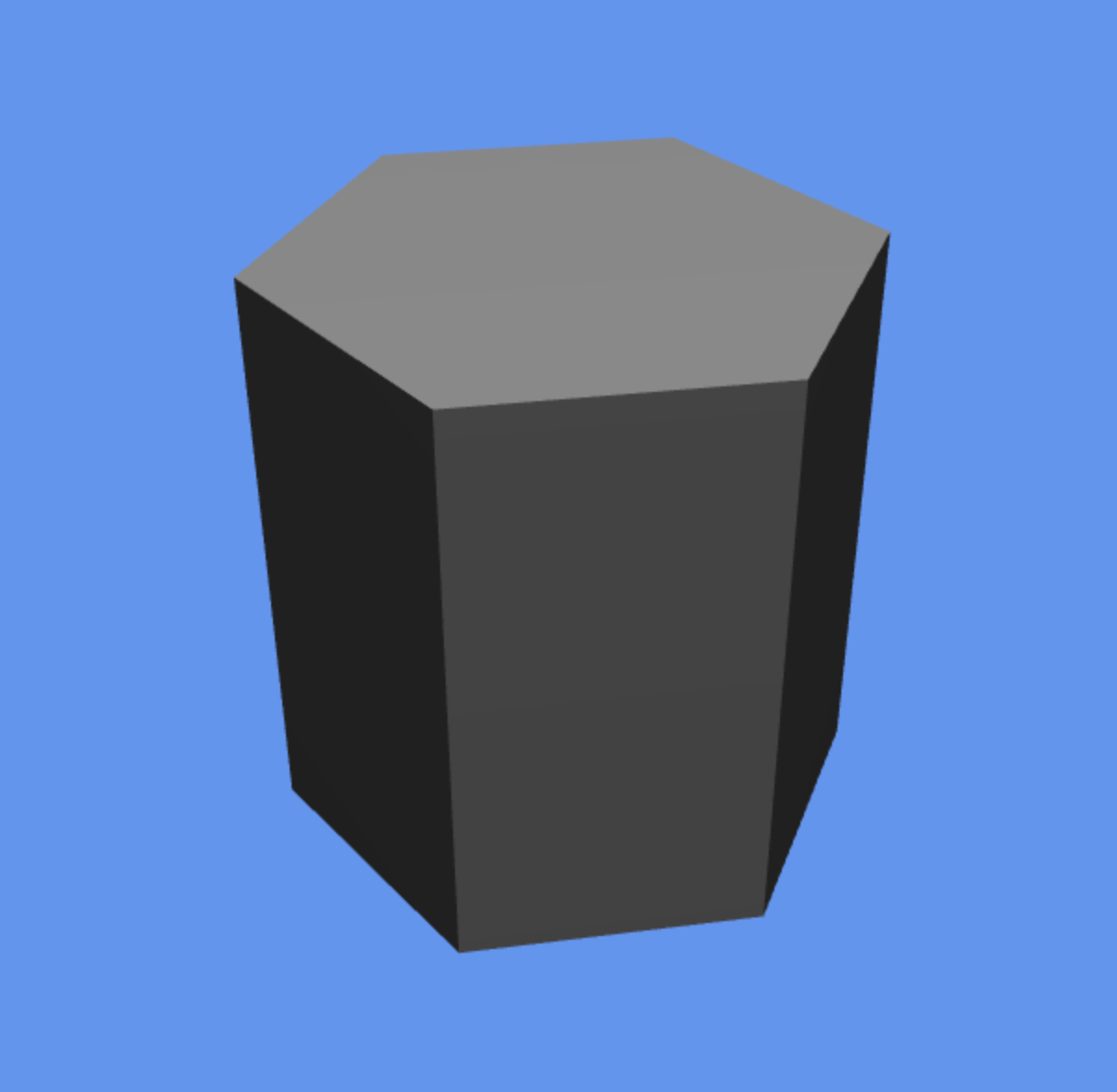
I coded a hexagonal prism vertex by vertex in Javascript.
It’s critical to get this to be drawn near optimally since the game will feature this object more than any other. Three.js doesn’t support WebGL 2.0 yet, so I’ve written both a WebGL1 and WebGL2 version. When three.js’ WebGL2Renderer is ready, I will switch over.
The WebGL2 version is only 12 vertices, for use with the “flat” directive. We can use one vertex normal for an entire triangle (specified by the provoking vertex).
The WebGL1 version is 30 vertices, since many vertices need to be duplicated in order to have a flat shaded look (can’t turn off normal interpolation in WebGL1!).
This is drawn with indexed triangles. I considered using a triangle strip, but you’d need more vertices plus degenerate triangles. I doubt its ever worth it anymore to use triangle strips on modern hardware v.s. just indexed triangles.
Doesn’t look like much, right?
It took an entire day to build this simple scene.
To understand why this was so expensive to do, let’s break down what seems like a simple exercise into pieces:
- Carefully calculate each vertex position.
- Calculate each vertex normal manually.
- Place each vertex so that the correct normal is used.
- Learn from the OpenGL ES specs which vertex would have its normal used (i.e. which is the provoking vertex).
- Select indices such that the correct normal is used for each surface.
- Correcting bugs.
- Set up a scene with a camera and light source in three.js.
- And of course in my case, learning three.js and WebGL took some time.
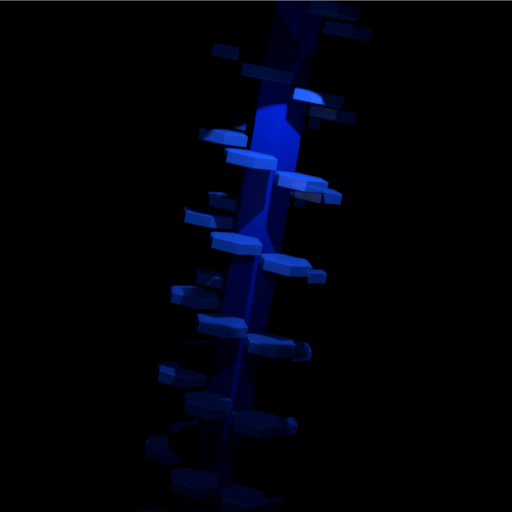
For non-developers, consider the following rendering of a hexagon field. It only took an hour or two to create in blender (and I’m a novice at blender):

It’s a more complex scene, but it didn’t need to be written by hand with code and napkin math.
Game development difficulty comes largely from the fact that is real time. Everything needs to be constantly optimized to achieve all drawing and update logic 60 times per second, every second.
I think even experienced developers underestimate the difficulty and time cost of game development.
Its easy to imagine a field of hexagons.
It’s easy to model it quickly in some 3D modelling software.
But when it comes time to bring that world to life in a real time rendered setting, the difficulty level skyrockets.
This is apples and oranges of course but consider that Blender took 10 minutes (600000 milliseconds) to draw that scene on my core i7 machine. In Scarlet6, there will be 16 milliseconds to draw a scene with way more stuff going on. The very short time requirement for drawing stuff is where the difficulty in the graphics side of game dev comes from.
Here are the hexagonal prism vertex position coordinates for the WebGL 1.0 version (no flat shading directive):
      // Hexagonal Prism
      var geometry = new THREE.BufferGeometry();
      /*
            2 -- 3
           /      \
          1        4                 -z
           \      /                   |
            0 -- 5               -x ---- +x
                                      |
               C                     +z
             2 -- 3
          B /      \ D
           1        4
          A \      / E
             0 -- 5
               F
      */
      var t = 0.5 * Math.sqrt(3);
      var hexVerts = new Float32Array([
        // Top
        -0.5, 1,  t,  // 0
        -1.0, 1,  0,  // 1
        -0.5, 1, -t,  // 2
         0.5, 1, -t,  // 3
         1.0, 1,  0,  // 4
         0.5, 1,  t,  // 5

        // A
        -0.5,  1,  t,  // 6   0
        -1.0,  1,  0,  // 7   1
        -0.5, -1,  t,  // 8   0B
        -1.0, -1,  0,  // 9   1B

        // B
        -1.0,  1,  0,  // 10  1
        -0.5,  1, -t,  // 11  2
        -1.0, -1,  0,  // 12  1B
        -0.5, -1, -t,  // 13  2B

        // C
        -0.5,  1, -t,  // 14  2
         0.5,  1, -t,  // 15  3
        -0.5, -1, -t,  // 16  2B
         0.5, -1, -t,  // 17  3B

        // D
         0.5,  1, -t,  // 18  3
         1.0,  1,  0,  // 19  4
         0.5, -1, -t,  // 20  3B
         1.0, -1,  0,  // 21  4B

        // E
         1.0,  1,  0,  // 22  4
         0.5,  1,  t,  // 23  5
         1.0, -1,  0,  // 24  4B
         0.5, -1,  t,  // 25  5B

        // F
         0.5,  1,  t,  // 26  5
        -0.5,  1,  t,  // 27  0
         0.5, -1,  t,  // 28  5B
        -0.5, -1,  t,  // 29  0B

      ]);